Shopify SEO: What the Platform Does for You, What It Won’t Let You Change, and the Collection URL Trap
· Royking Niba
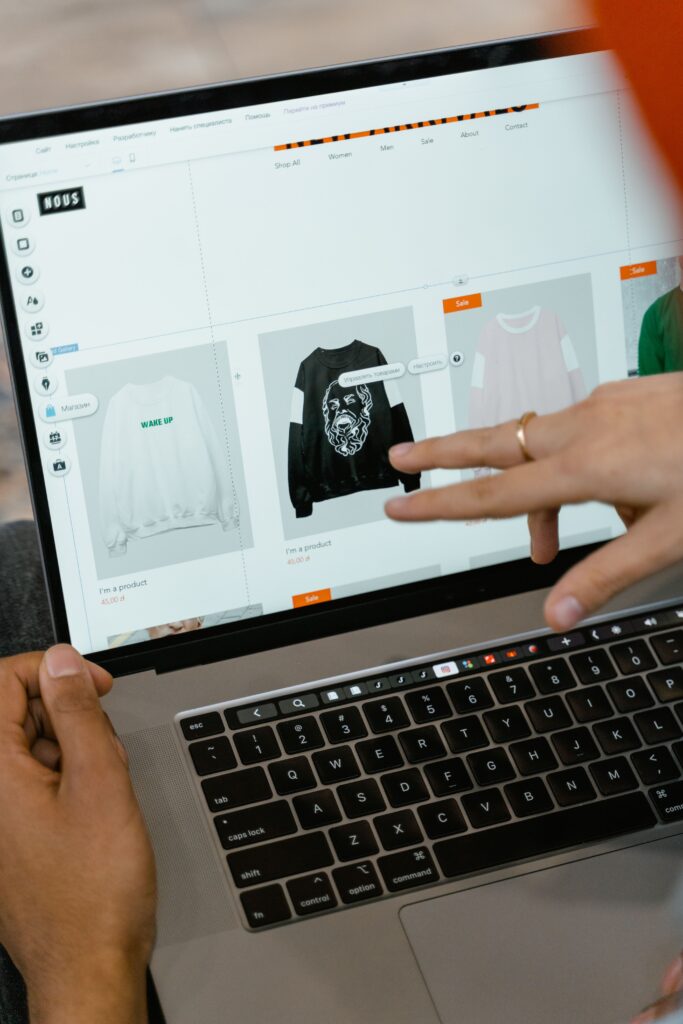
Shopify SEO is mostly about the decisions Shopify leaves to you, because the platform already generates the sitemap, the robots.txt file and a canonical tag on every page. What it does not decide for you is how your theme links to products, what goes in each title and description, which URLs you redirect when products change, and whether you edit robots.txt at all. The biggest technical trap is that the same product can live at more than one URL inside your collections. Below are Shopify’s and Google’s own words on each of these, a decision table of what is fixed and what you control, and a worked model of how fast duplicate product URLs multiply.
What Shopify already does for you
All quotes below are from Shopify’s help center and developer documentation, checked today, 9 October 2026. None of these pages shows a last-updated date, so check them again before acting on a detail.
- Sitemap. Shopify’s generated sitemap “contains links to all your products, primary product image, pages, collections, and blog posts”, and “Sitemap files are automatically updated when you add a new webpage, product, collection, image, or blog post”. It sits at the root of your domain, at /sitemap.xml.
- robots.txt. “Shopify generates a default robots.txt file that works for most stores.”
- Canonical tags. Themes can output a canonical URL for any page with “the global Liquid canonical_url object”.
- Titles and descriptions. By default your theme uses your shop name followed by the title of the content, and in the admin “You can enter up to 70 characters in the title.” Shopify recommends 160 characters for the meta description.
That default set is why a new Shopify store rarely has the crawl disasters a hand-built site can have. It is also why the remaining problems are easy to miss: they come from themes, apps and choices made later, not from the platform.
What is fixed, and what you control
This decision table is the quickest way to see where your time goes. The left column is the task, the middle is what Shopify fixes or provides, and the right is the part that is yours.
| Task | Fixed or provided by Shopify | What you control |
|---|---|---|
| URL structure | Products, collections, pages and blogs live under fixed path prefixes such as /products/ and /collections/ | The handle after the prefix, and whether old handles are redirected |
| Sitemap | Generated and updated automatically | Which products and pages exist, and whether thin ones are published at all |
| robots.txt | A default file for every store | Whether to replace it with a robots.txt.liquid template (rarely needed) |
| Canonical tag | The canonical_url Liquid object | Whether your theme outputs it, and whether internal links point at the canonical URL |
| Product links inside collections | Nothing; this is theme code | Whether the theme uses the within filter to build collection-scoped product URLs |
| Titles and meta descriptions | A default pattern from the shop name and content title | The text of each one, up to 70 characters for titles |
| Redirects | A redirect manager, up to 100,000 redirects (20,000,000 on Plus) | Creating them when you rename, merge or delete products |
The collection URL trap
A Shopify product has its own URL under /products/. Many themes also link to it from collection pages with a longer URL that includes the collection, built with a Liquid filter called within. Shopify’s own documentation of that filter describes it as one that “Generates a product URL within the context of the provided collection”, and then warns:
Because a standard product page and a product page in the context of a collection have the same content on separate URLs, you should consider the SEO implications of using the within filter.
Shopify Liquid reference, within filter
That is Shopify telling you, in its own reference, that the filter creates duplicate URLs. If your theme outputs canonical_url, each collection-scoped URL should declare the /products/ version as its canonical, and Google’s guide to consolidating duplicate URLs, last updated 2026-07-10, calls a rel=”canonical” annotation “A strong signal that the specified URL should become canonical.” A strong signal is not the same as a crawl you never pay for. Every collection-scoped link is still a URL Googlebot can request, and the page Google keeps may not be the one you chose, which is how stores end up with the Search Console status explained in duplicate without user-selected canonical.
A worked model: how fast duplicates multiply
This is the original element of this post. Assumptions, stated so you can swap in your own numbers: a store with 400 products; each product sits in a set number of collections; the theme links to products from collection pages using within, so each product is reachable at one /products/ URL plus one collection-scoped URL per collection; tag-filtered and paginated collection pages are left out, so the real count would be higher.
| Collections per product | Product URLs crawlable | Unique product pages | Duplicate URLs | Share of product URLs that are duplicates |
|---|---|---|---|---|
| 1 | 800 | 400 | 400 | 50.0% |
| 2 | 1,200 | 400 | 800 | 66.7% |
| 3 | 1,600 | 400 | 1,200 | 75.0% |
| 4 | 2,000 | 400 | 1,600 | 80.0% |
| 5 | 2,400 | 400 | 2,000 | 83.3% |
At three collections per product, a common setup once a store has category, sale and new-in collections, 1,600 product URLs exist for 400 products and 75 percent of them are duplicates. Each extra collection a product joins adds another 400 URLs to the store. The fix is not in robots.txt: Google’s same guide says “Don’t use the robots.txt file for canonicalization purposes.” The fix is in the theme, by linking from collection pages straight to the /products/ URL so the duplicates are never linked in the first place. That turns a canonical tag from the thing holding the line into a backstop. The wider crawl effect of URL inflation is covered in my posts on crawl budget and faceted navigation, which is the same problem with filters instead of collections.
Editing robots.txt on Shopify
You can customise robots.txt by adding a template called robots.txt.liquid to your theme. Shopify is clear about the cost: “Adding the robots.txt.liquid template replaces Shopify’s generated robots.txt output.” Its documentation asks you to “save a copy of your current /robots.txt output and compare it with the rendered template output” before publishing, notes that the rendered template “doesn’t always match Shopify’s generated file exactly”, and says “it’s strongly recommended to use the provided Liquid objects whenever possible.”
My view: most stores never need this file. The legitimate reasons are narrow, such as blocking a specific crawler or disallowing an internal search parameter that is being crawled at scale. If you edit it, the general rules in robots.txt for SEO apply, above all that blocking a URL in robots.txt stops Google reading its canonical and noindex tags too.
Redirects when products change
Products get renamed, merged and discontinued, and every one of those changes can turn a ranking URL into a 404. Shopify’s redirect manager lets you redirect a broken URL to a live one, and its help page sets the ceiling: “You can create a maximum of 100,000 URL redirects”, or 20,000,000 on Plus. The same page also says you cannot redirect URLs that use the fixed Shopify paths /products, /collections and /collections/all, while its own worked example redirects a /products/ URL. Read that as a restriction on redirecting the bare path prefixes rather than individual product URLs, and test any redirect you create by loading the old URL.
If you are moving a store onto Shopify from another platform, redirect mapping is the step that decides whether traffic survives the move. The full process is in my SEO migration checklist.
International domains and Markets
Shopify’s sitemap help says that on the Basic plan or higher “you have sitemaps for every additional domain you’re using for international domains”, and gives one instruction worth following exactly: “If you have multiple domains and aren’t using them for international targeting, then make sure all domains redirect to your primary domain.” The hreflang and URL-structure decisions behind international stores are covered in international SEO and hreflang implementation.
Common Shopify SEO mistakes
- Leaving the theme on within. The single biggest source of duplicate URLs on Shopify, and the fix is a template change.
- Replacing robots.txt to fix duplicates. Google says not to use robots.txt for canonicalization, and a blocked URL cannot pass its canonical.
- Renaming product handles without redirects. Every ranking product URL that changes needs a redirect to its new address.
- Accepting default titles everywhere. Shop name plus product title is a starting point, not a title strategy.
- Publishing every variant or empty collection. The sitemap lists what exists, so thin pages go straight into it.
- Several storefront domains with no international purpose. Shopify’s own advice is to redirect them all to the primary domain.
If a Shopify store has already lost traffic and you are not sure whether the cause is technical or a Google penalty, the triage starts in my Google penalty recovery guide.
Leave a Reply